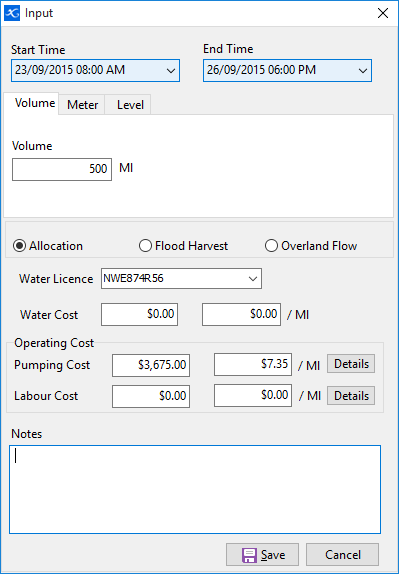
For stored water you record input pumping events and any adjustments. Outputs are recorded through irrigation activities.
To record an input:
•Select a water source
•Click  on the toolbar and select Input.
•Enter a start and finish date and time.
•There are three methods to record the volume input:- by Volume, Meters or Level change. For volume enter a total volume increase. For meter/s select the appropriate meters from the dropdown list and enter a start and finish value. For level, enter the start and finish level. (only if you have created a volumetric graph for this water storage at time of setup).
•Select the type of event for this input:- Allocation, Flood Harvest or Overland Flow.
•Enter a cost for the water as a total or per pumping unit.
•Enter any pumping and labour costs.
•Click Save when finished.
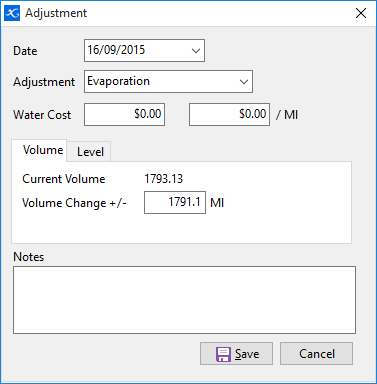
Over time the quantity in storage will change for reasons other than an irrigation, such as evaporation, seepage, rainfall, etc. To make corrections to the storage:
•Select a water source.
•Click on the toolbar and select Adjustment.
•Enter the date, select a reason for the adjustment, and attribute any cost for the adjustment.
•There are two ways to record the volume change, by entering a volume or by entering a new level reading (only if you have created a volumetric graph for this water storage at time of setup).
•Click Save when finished.