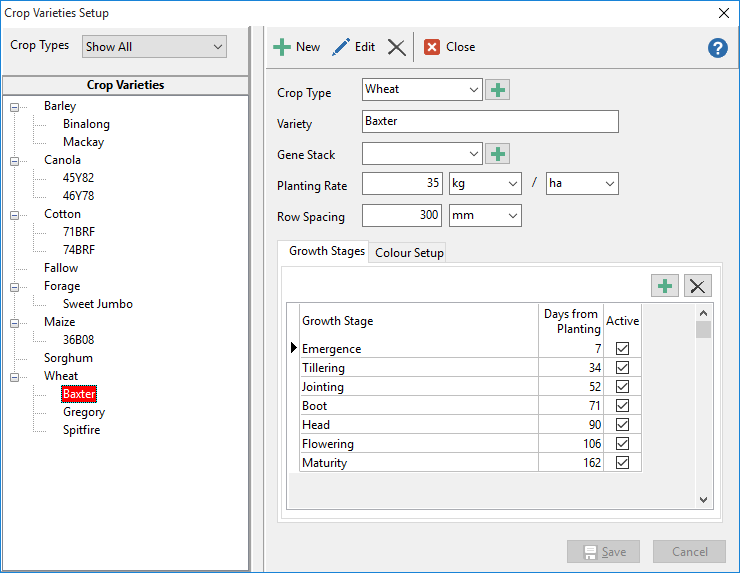
To create Varieties:
•Click Setup from the drop-down menu and select Crop Varieties.
• Click the Add button to start a new record.
•Enter in the details that are relevant for that crop variety.
•Gene Stack is for grouping varieties by a common genetic type i.e. for cotton, group varieties to Bollgard, Ingard, Conventional, Roundup Ready, etc.
•When finished, click Save.
| This will automatically create the variety as a Seed Type in Setup Products. |